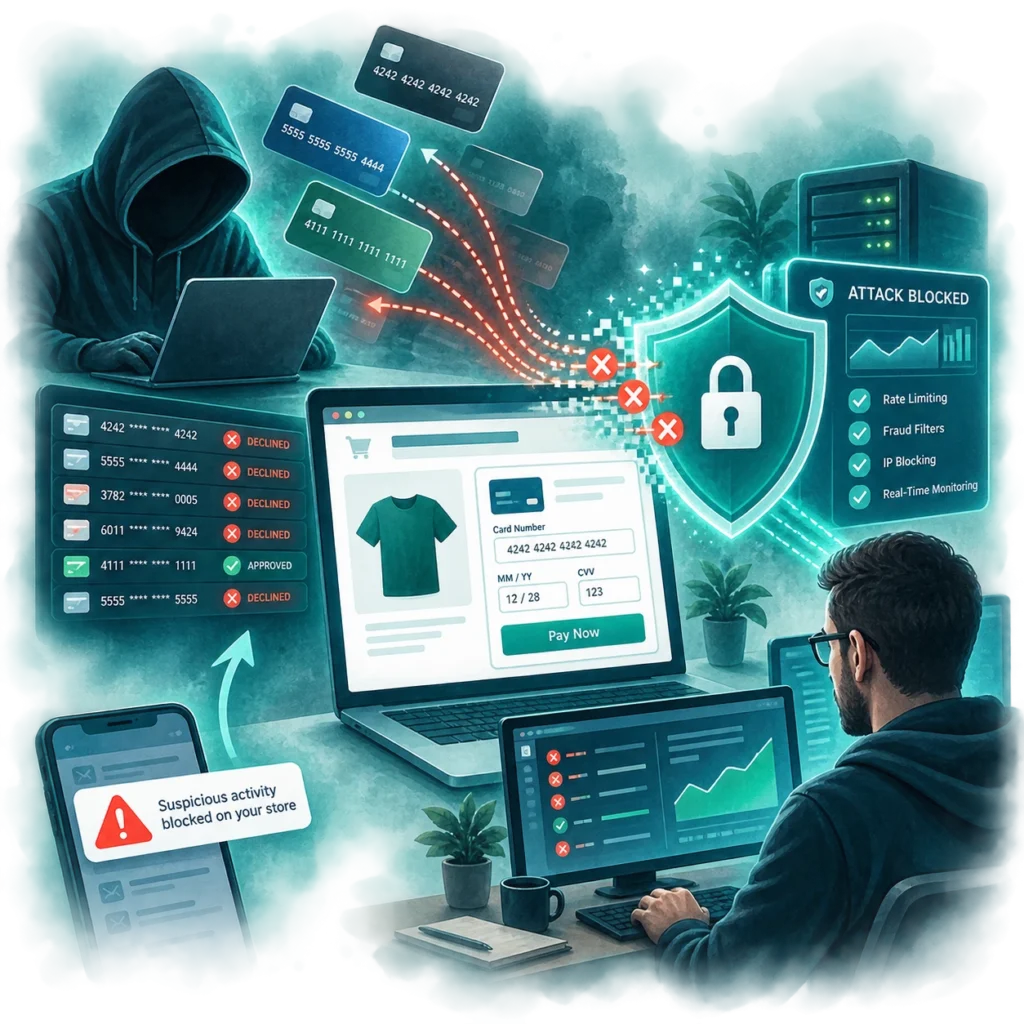
If your WooCommerce store suddenly starts receiving a wave of failed payment attempts, you may not be dealing with ordinary customer errors.
You could be experiencing a credit card testing attack.
I recently dealt with this on a WooCommerce website I manage. The store itself had not been hacked, and there was no indication that customer credit card information had been stolen from the website. Instead, criminals were using the checkout system to test stolen credit card numbers obtained somewhere else.
What Is Credit Card Testing?
Credit card testing, sometimes called carding, happens when criminals take lists of stolen card numbers and use online payment forms to determine which cards are still valid.
They may already have thousands of card numbers but have no idea which ones:
- Are still active
- Have been reported stolen
- Have available funds
- Contain the correct expiration date or security code
- Will pass a bank’s fraud screening
Rather than attempting large purchases, automated software submits cards to online stores and watches the responses.
Declined card? Move to the next one.
Approved card? That card may now be considered valuable enough to use elsewhere or resell.
The business being attacked is often just an unwilling testing ground.
Why WooCommerce Stores Can Become Targets
Attackers are not necessarily interested in what your business sells. They are looking for a checkout process they can automate. An online store may become attractive when it allows repeated payment attempts without enough controls to distinguish a legitimate customer from automated traffic.
These attacks can happen extremely quickly because a person is not sitting at a computer manually entering credit card numbers. Software is doing it for them. That also means a small business can be targeted just as easily as a major retailer. The attacker does not need to know anything about your company beforehand. They simply need to find a checkout that works.
Does Credit Card Testing Mean Your Website Was Hacked?
Not necessarily.
This is one of the most important things for business owners to understand. A card-testing attack does not automatically mean someone gained access to WordPress, stole your customer database or infected the website with malware. In many cases, attackers are abusing a legitimate feature of the website.
The checkout is designed to:
- Accept payment information.
- Send that information to the payment processor.
- Receive an approved or declined response.
The attacker is simply automating that process hundreds or thousands of times. That means a website can be completely clean from a malware perspective while still being abused for fraud. Traditional website security and payment fraud protection overlap, but they are not the same thing.
Why Failed Transactions Still Matter
It may seem like there is no problem if all the fraudulent cards are declined. Unfortunately, repeated failed payment attempts can still cause trouble.
Payment processor problems
A sudden spike in failed authorizations can trigger fraud alerts or negatively affect how a merchant’s transactions are evaluated.
Successful fraudulent orders
Eventually, one of the stolen cards may work. That can result in refunds, chargebacks and disputes once the legitimate cardholder notices the transaction.
Website performance
Every checkout attempt uses resources. WooCommerce, WordPress, the database, the payment gateway and the web server may all be involved in processing each request. A large enough attack can affect website performance for legitimate shoppers.
Messy WooCommerce data
Automated attacks can also produce large numbers of:
- Failed orders
- Abandoned carts
- Transaction logs
- Customer records
- Payment errors
- Fraud notifications
That clutter makes it harder to distinguish a genuine customer having trouble from automated abuse.
Signs of a Credit Card Testing Attack
One failed transaction does not mean your website is under attack. Customers mistype credit card numbers every day. The warning sign is usually the pattern. You may notice:
- A sudden increase in failed orders
- Numerous transactions within a very short period
- Similar orders repeatedly purchasing inexpensive products
- Random-looking customer information
- Large numbers of payment declines
- Checkout traffic that does not match your normal sales volume
Your payment processor may also reveal patterns that are not immediately obvious from the WooCommerce dashboard.
When investigating unusual payment activity, it is important to look at both systems.
How Can You Reduce Credit Card Testing?
There is no single solution that works for every WooCommerce website. Effective protection usually involves several layers.
Bot protection
CAPTCHA-style protections can help prevent basic automated scripts from repeatedly submitting checkout forms. Modern systems can also challenge suspicious visitors without forcing every legitimate customer to solve a puzzle.
Rate limiting
A website can restrict how frequently certain checkout or payment actions can occur. For example, repeated payment attempts within a very short period may trigger additional verification or temporary blocking.
Payment fraud controls
Many payment processors provide fraud-detection tools that can evaluate things such as:
- Transaction frequency
- Billing information
- Security-code verification
- Customer location
- IP reputation
- Unusual purchase patterns
These controls should be reviewed rather than simply left at default settings forever.
Keeping payment integrations current
WooCommerce and payment gateway extensions are constantly evolving. Updates can include security improvements, fraud protections and additional transaction information that helps payment processors identify suspicious behavior.
Monitoring
Perhaps most importantly, someone needs to notice when something unusual starts happening. Fraud techniques change. A checkout that operated normally for years can suddenly become the target of a new automated attack.
Website Security Is Not a One-Time Setup
This is the larger lesson. Launching a secure website does not mean that website will never encounter a new type of abuse. Attackers constantly change tactics, and payment systems constantly evolve in response. The attack I recently handled was not the result of criminals breaking into the website. It was an example of automated attackers abusing otherwise legitimate checkout functionality.
Once the behavior became visible, additional protections could be put in place to respond to that specific threat. That is why ongoing website maintenance is about more than installing WordPress updates. It also means:
- Monitoring unusual activity
- Reviewing logs
- Watching payment behavior
- Responding to new attack patterns
- Adjusting protections when necessary
A secure website is not simply one that prevents someone from breaking in. It also needs to recognize when legitimate features are being used in ways they were never intended to be used.